> ## Documentation Index
> Fetch the complete documentation index at: https://docs.blocks.team/llms.txt
> Use this file to discover all available pages before exploring further.
# Welcome to Blocks
> A software factory that brings coding agents into GitHub, GitLab, Slack, Linear, and more
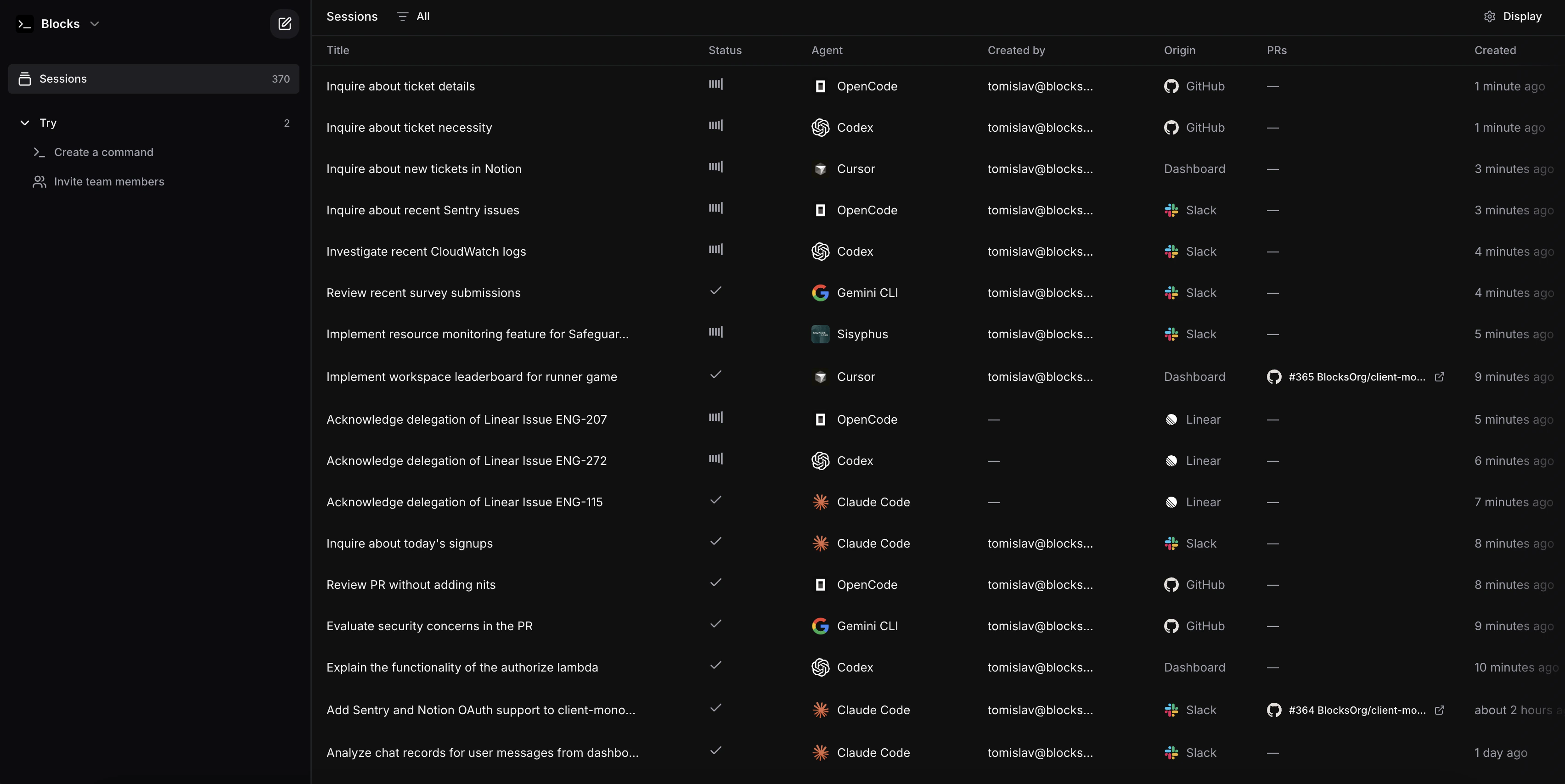
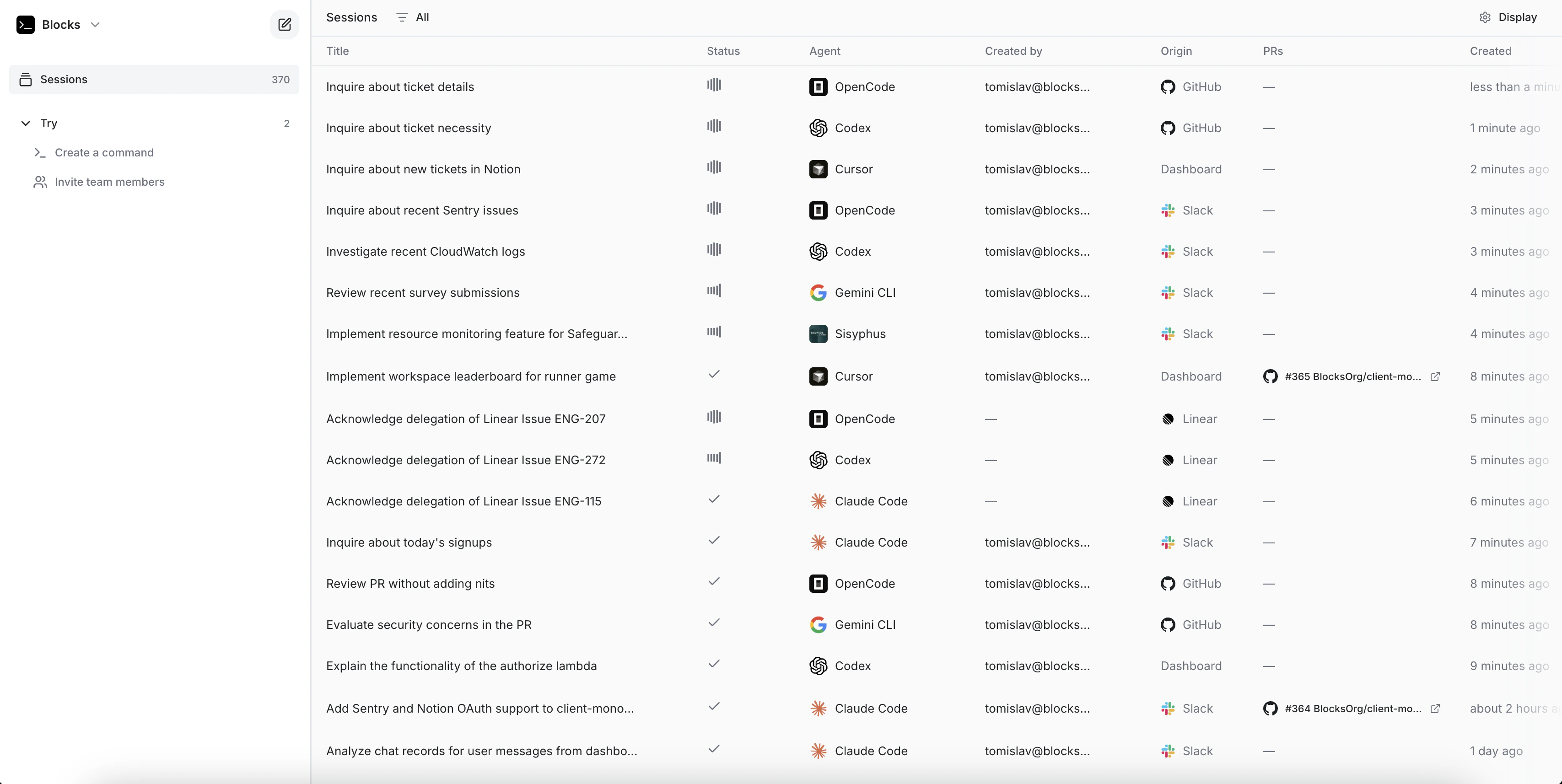 Your team already lives in GitHub, Slack, Linear, and Jira. Blocks brings coding agents directly into those tools — no new interface to learn, no context switching.
Mention `@blocks` in any issue, PR, or message and an agent will write code, fix bugs, review PRs, and open pull requests right where the work is happening. Or set up automated workflows that run without any mention at all.
## Three Ways to Use Blocks
Mention `@blocks` in any GitHub, GitLab, Bitbucket, Slack, Linear, or Jira thread. Describe what you need in plain language and get a PR.
Automatically review every pull request with any agent. Set custom instructions per repository — security checks, style guides, test coverage requirements.
Trigger agents on events: CI failures, incoming Slack alerts, new tickets, Playwright test results. Build custom workflows without managing infrastructure.
## What Teams Use It For
Automatically investigates incoming alerts by tracing root causes through logs and your codebase, then posts findings and proposed fixes in the thread.
Accepts ticket assignments, parses requirements, implements the code changes, and opens a pull request — without manual handoff.
Reviews pull requests for bugs, edge cases, and policy violations. Responds to reviewer comments and pushes incremental fixes autonomously.
Translates natural language questions into validated SQL queries against your schema, executes them, and returns structured results with context.
Correlates CloudWatch events with application code to pinpoint failure origins, then surfaces a targeted fix with supporting diagnostic evidence.
Searches across multiple repositories to map how features, auth flows, or edge cases are implemented — useful for onboarding and incident response.
## Enterprise Ready
Blocks supports SSO, comprehensive audit logging, role-based access controls, Zero Data Retention compliance, and full self-hosting. [Contact us](/using-blocks/support/contact) to discuss your requirements.
## Available Agents
Blocks supports multiple coding agents — Claude Code, Codex, OpenCode, Gemini CLI, Cursor CLI, Kimi Code, and Sisyphus. Each has different strengths for different tasks.
## Get Started
The [Getting Started guide](/using-blocks/getting-started) walks through connecting your first repository and making your first request.
Connect your first repository and make your first request
Set up GitHub, Slack, Linear, and more
Automate code review across your repositories
Build event-driven agent workflows
Your team already lives in GitHub, Slack, Linear, and Jira. Blocks brings coding agents directly into those tools — no new interface to learn, no context switching.
Mention `@blocks` in any issue, PR, or message and an agent will write code, fix bugs, review PRs, and open pull requests right where the work is happening. Or set up automated workflows that run without any mention at all.
## Three Ways to Use Blocks
Mention `@blocks` in any GitHub, GitLab, Bitbucket, Slack, Linear, or Jira thread. Describe what you need in plain language and get a PR.
Automatically review every pull request with any agent. Set custom instructions per repository — security checks, style guides, test coverage requirements.
Trigger agents on events: CI failures, incoming Slack alerts, new tickets, Playwright test results. Build custom workflows without managing infrastructure.
## What Teams Use It For
Automatically investigates incoming alerts by tracing root causes through logs and your codebase, then posts findings and proposed fixes in the thread.
Accepts ticket assignments, parses requirements, implements the code changes, and opens a pull request — without manual handoff.
Reviews pull requests for bugs, edge cases, and policy violations. Responds to reviewer comments and pushes incremental fixes autonomously.
Translates natural language questions into validated SQL queries against your schema, executes them, and returns structured results with context.
Correlates CloudWatch events with application code to pinpoint failure origins, then surfaces a targeted fix with supporting diagnostic evidence.
Searches across multiple repositories to map how features, auth flows, or edge cases are implemented — useful for onboarding and incident response.
## Enterprise Ready
Blocks supports SSO, comprehensive audit logging, role-based access controls, Zero Data Retention compliance, and full self-hosting. [Contact us](/using-blocks/support/contact) to discuss your requirements.
## Available Agents
Blocks supports multiple coding agents — Claude Code, Codex, OpenCode, Gemini CLI, Cursor CLI, Kimi Code, and Sisyphus. Each has different strengths for different tasks.
## Get Started
The [Getting Started guide](/using-blocks/getting-started) walks through connecting your first repository and making your first request.
Connect your first repository and make your first request
Set up GitHub, Slack, Linear, and more
Automate code review across your repositories
Build event-driven agent workflows